The professional ID scanner for age verification
The ID scanner that keeps the check, not the card.
Check ID reads the barcode on a US or Canadian driver’s license or ID card and checks the birth date and expiry date against your rules. Your staff get a clear answer, and the scan never keeps the name, address, ID number or a picture of the ID.
Free to download · iPhone and iPad · iOS 18 or later
Scan recordVERIFIED
- Result
- Verified, 21+
- Age
- 34
- Issued by
- Texas
- Scanned
- 9:41 PM, barcode
- Name
- not kept
- Date of birth
- not kept
- Address
- not kept
- License number
- not kept
- Picture of the ID
- not kept
From the door to the record.
-
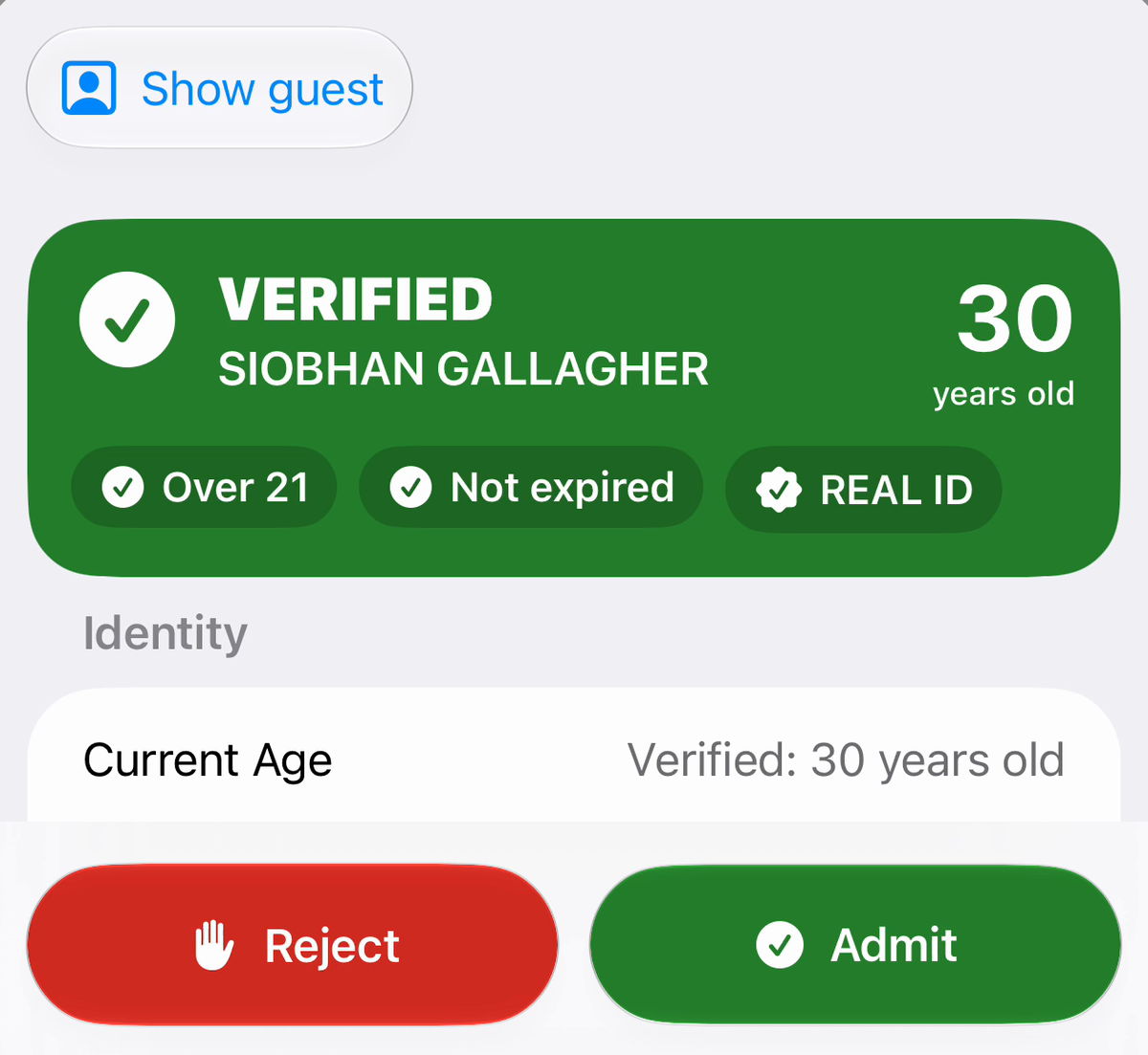
Check it.
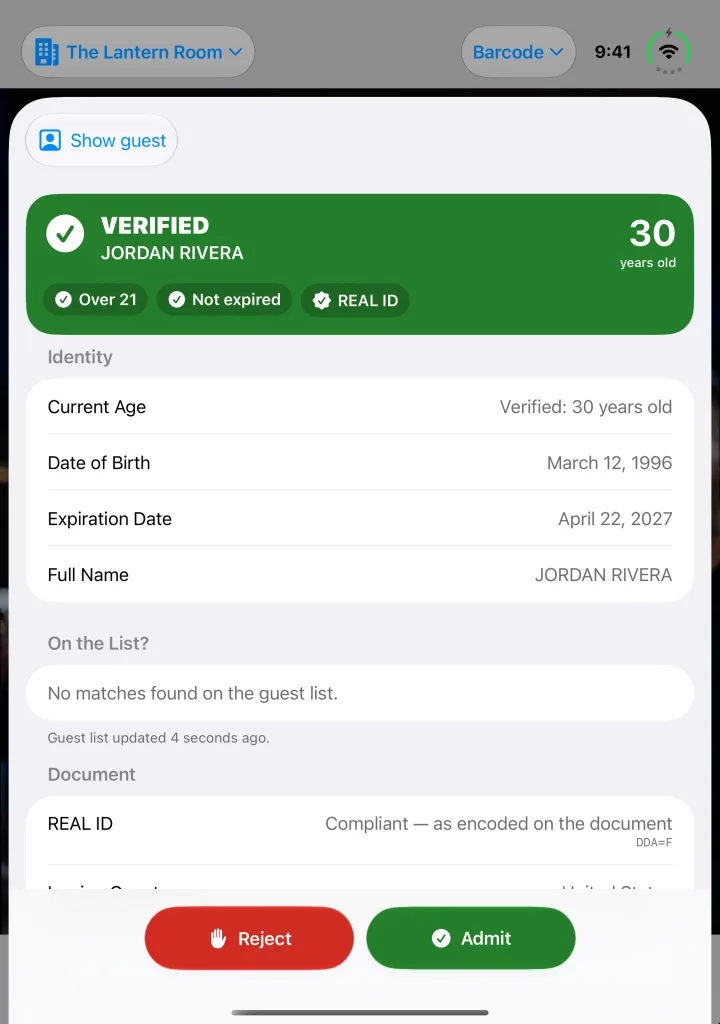
Scan the barcode on a license or ID. Check ID reads the birth date and expiry, checks them against your rules, and gives your staff a clear answer. They make the call.
-
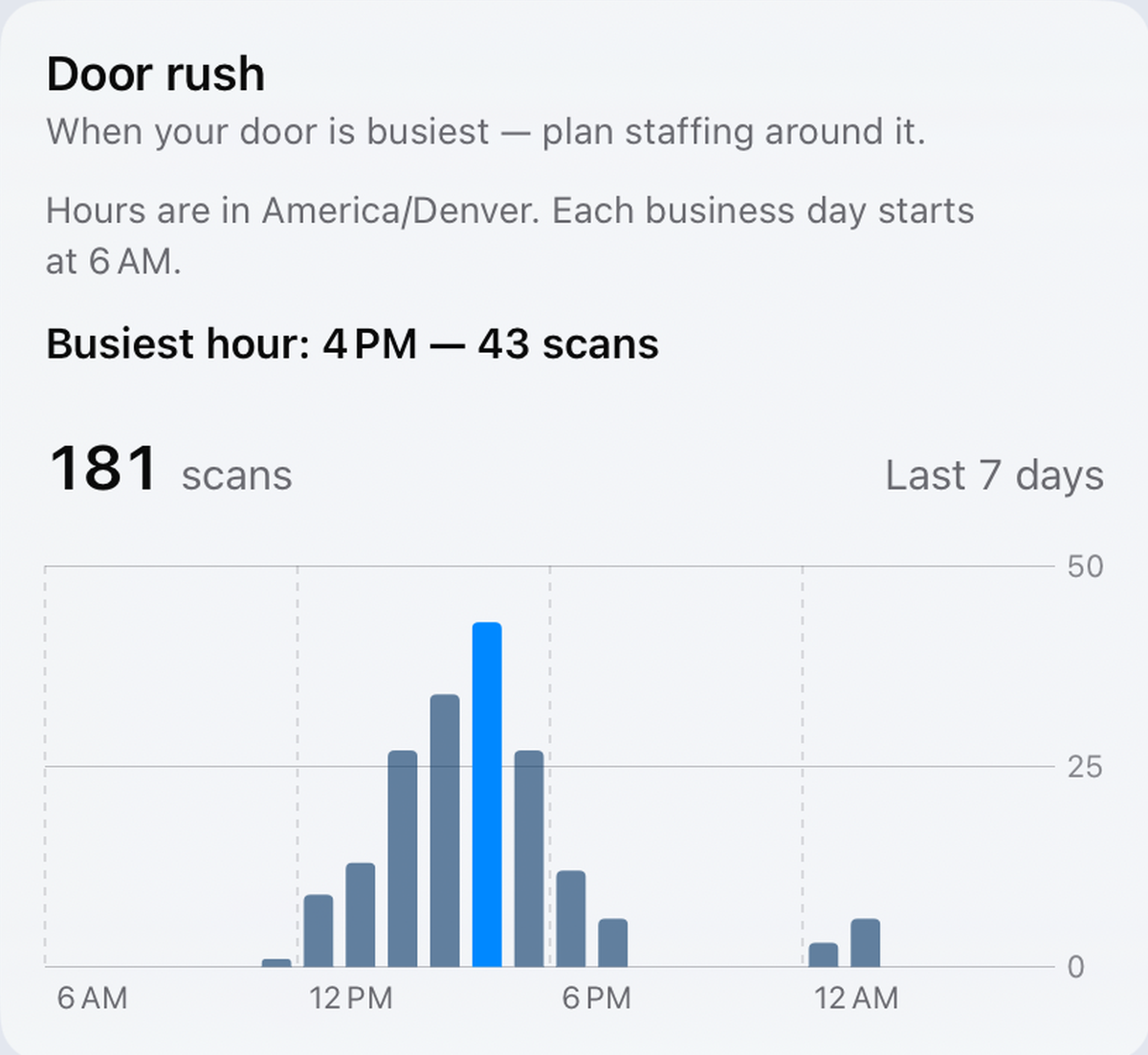
See it.
With Check ID for Teams, every scan lands in your venue’s record. See your busiest hour and staff the door around it.
-
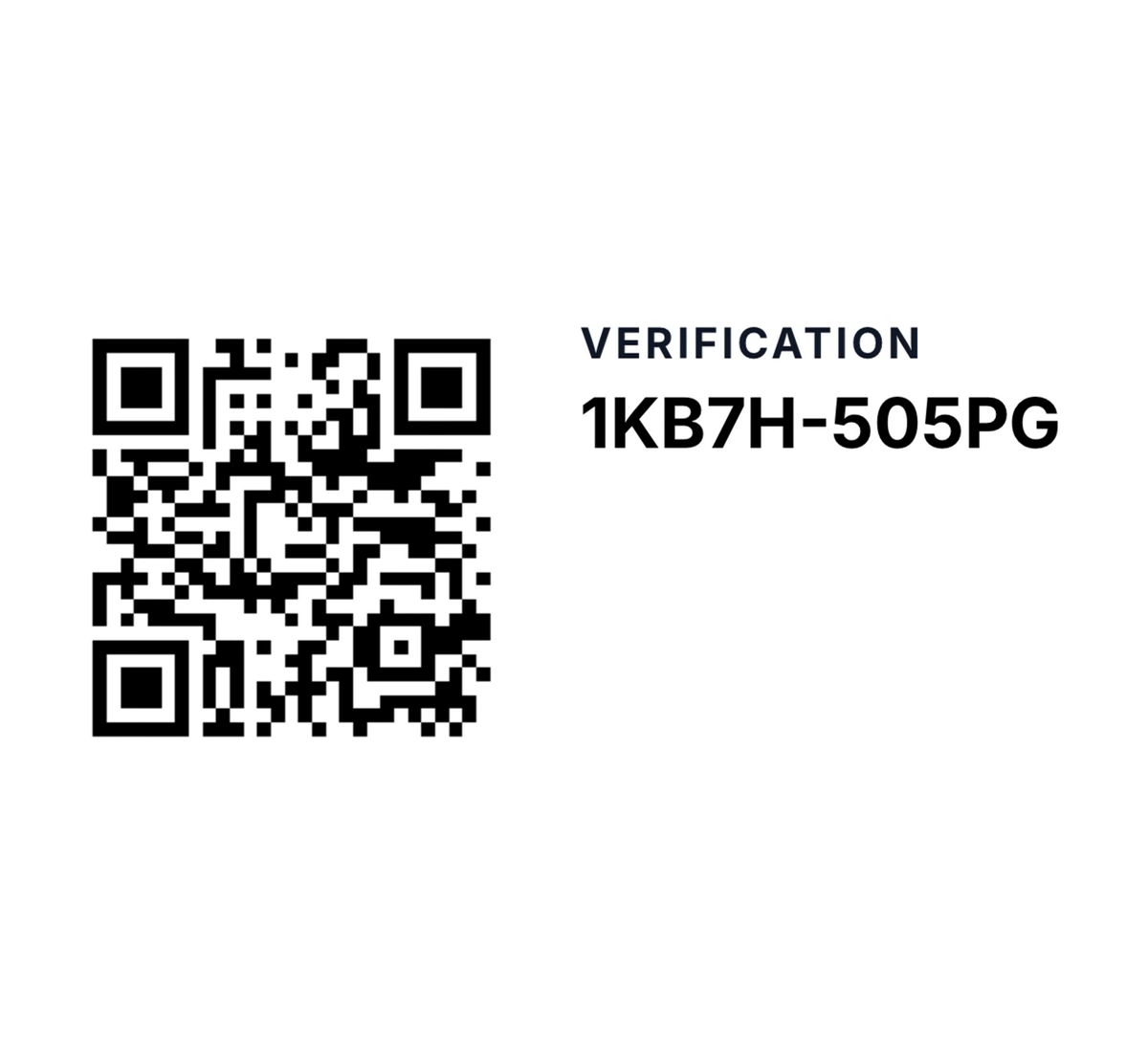
Prove it.
Generate a report for any period. Publish a verification link with it, and an inspector can scan its code to check the figures against the copy Check ID hosts.


How it works
A clear answer at the door, and your staff make the call.
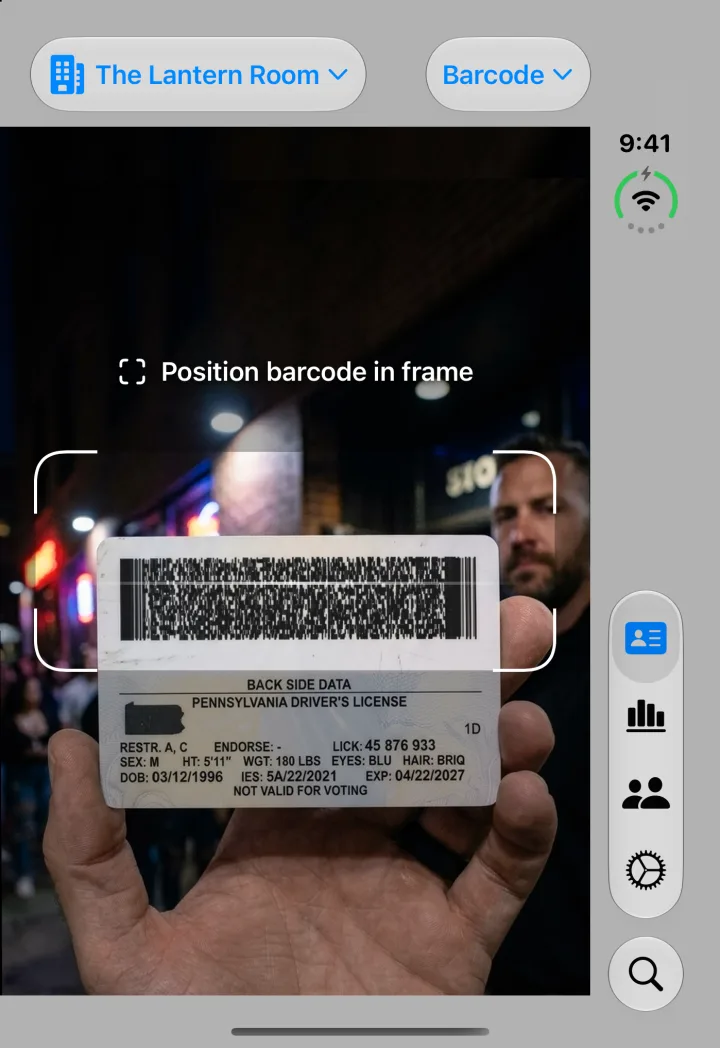
Scan the barcode
Point the camera at the back of a US or Canadian license or ID. On iPhone, Check ID can also read the chip in many passports and accept IDs in Apple Wallet.
Check the age and dates
Check ID compares the birth date and expiry date with your rules, whether that’s 18, 21 or any age you set, and shows a clear result, such as Verified, Underage or Expired ID.
Your staff decide
Check ID never admits or turns anyone away. It shows what the ID says, flags a repeat entry, and leaves the decision to the person at the door.
No signal needed to scan
Reading a license and getting the answer happen on the iPhone or iPad itself, with or without an internet connection.
Check ID on iPhone Duo.
On iPhone Duo, Check ID has a layout for every pose and picks each camera by the direction it faces. While you scan with iPhone Duo open, the outer display can show the person you’re scanning that their ID is being checked privately, with a note that no image of their ID is saved or sent.
Privacy
Keep the check, not the card.
An ID scanner that saves the whole ID builds a file of your customers’ personal details. Check ID keeps only what the check needs. We can’t leak what we never kept.
| From each scan | A scanner that saves the whole ID | Check ID |
|---|---|---|
| Name, date of birth, address | Saved | Never kept |
| License or ID number | Saved | Never kept |
| A picture of the ID | Saved | Never kept |
| Age in whole years, issuing state | Saved | Kept |
| Result, time and how it was scanned | Saved | Kept |
Free and Pro stay with you
Your scan history and guest lists stay on your device or in your own iCloud. They’re never sent to Check ID’s servers. Our own product analytics do receive a few facts from each scan, such as the result, the state and the age, never a name, birth date, address, ID number or photo. What our analytics include.
No ad trackers
No third-party analytics or advertising SDKs, no advertising identifier and no ads. We never sell your data.
Teams keeps the record, not the person
Check ID for Teams stores scan records on our servers so owners can review them. They never include the name, birth date, address, ID number or a picture of the ID.
Who it’s for
Built for the businesses that check IDs all day.
Our guides summarize some state and federal ID rules for these businesses, with links to the law itself. They aren’t legal advice.
- Vape shopsTobacco 21 and checking age at the counter
- Liquor storesAge checks at the register
- Bars and door staffID checks at the door, including contracted security
- DispensariesAge checks for cannabis retail
- Convenience storesTobacco, vape and alcohol sales
- Festivals and eventsWristbands, gates and bars
- Private aviationPassenger ID checks at the FBO
- All guidesBy state and by business type
Check ID for Teams · Available now
One venue, several doors, one record.
Check ID for Teams connects your staff and shared devices, so owners can review the scans recorded across the venue.
Staff on shared devices
By default, staff enter their PIN on a shared iPhone or iPad at the door, so each scan records which staff member ran it.
Repeat entries across doors
With repeat-entry alerts on and the doors online, a license or ID card scanned again at another door within your window raises an alert. It’s a prompt, not a block.
Reports without names
Export a scan log or share a report for a date range. Reports don’t name your employees.
Set up a door in a few minutes.
- Start Check ID for Teams for your venue.
- On the door’s iPhone or iPad, open Check ID and choose Settings › Set Up This Device › Use this device at the door. Then, on your phone, open Team › Devices › Pair a Device and scan the code the door shows.
- Under Team › Door Staff, add your door staff and give each person a PIN. They sign in with it on the door device, so every scan records who ran it.
- Already scanning on personal phones? Once a person joins your team on their phone, they can bring the scans they made in personal mode in the last 7 days into your venue’s record. They choose Settings › Move scans from personal mode.
Subscribe in the app or on the web for US$49.99 a month or US$449 a year for one venue. Applicable tax is added at web checkout. Manage your team on iPhone, iPad, Mac or the web.
What Check ID is, and isn’t.
What it is
A tool that helps your staff check IDs. It reads the barcode or chip, checks the age against your minimum, and can keep a record that the check happened.
What it isn’t
Legal advice, insurance, a fake-ID detector, or a guarantee of compliance. Your staff make the final call.
FAQ
Common questions.
Is Check ID free to use?
Check ID is free to download and includes a limited number of scans every day. Check ID Pro is a one-time purchase (US$24.99 on the US App Store) that removes the daily limit. There are no per-scan fees.
What types of ID can Check ID scan?
Check ID reads the barcode on US and Canadian driver’s licenses and ID cards on iPhone and iPad. On iPhone it can also read the chip in many passports and chip ID cards, and accept driver’s licenses and state IDs held in Apple Wallet where the issuing state offers them.
Can I set the minimum age to 21?
Yes. You can set the minimum age to 18, 21 or any other age, and choose how expired IDs are handled. Check ID compares the dates encoded on the ID with those rules.
Does Check ID detect fake IDs?
No. Check ID reads what an ID encodes and checks the dates against your rules. A well-made fake can carry a valid barcode, so staff should still look at the card and the person. How verification works explains exactly what each check does and doesn’t do.
What does Check ID keep from a scan?
A scan record keeps the result, the age in whole years, the issuing state or country, and when and how the ID was scanned. It never keeps the name, date of birth, address, ID number or a picture of the ID. Guest lists hold names that your staff add on purpose. Security & data shows what each plan keeps.
Does Check ID keep a scan history?
Yes, unless you turn it off. In the free and Pro app, scan history covers the last 7 days and syncs through your own iCloud. It is never sent to Check ID’s servers. You can turn it off in Settings. Our own product analytics receive a few facts from each scan, such as the result, the state and the age, but never a name, birth date, address, ID number or photo.
Does Check ID work offline?
Reading a license barcode and getting the age and expiry answer happen on the device, with or without an internet connection. Apple Wallet IDs, and Check ID for Teams features such as sign-in, reports and alerts across devices, need a connection.
Does using Check ID make my business compliant?
No. Check ID is a tool that helps your staff check IDs. It isn’t legal advice, insurance, or a guarantee. It can’t catch every fake, and using it doesn’t by itself make you compliant or give you a legal defense. What the law requires depends on where you are and what you sell. Our compliance guides summarize some state rules with links to the law itself, but they aren’t legal advice. Ask your lawyer or regulator what applies to you.
What devices does Check ID run on?
Check ID runs on iPhone and iPad with iOS 18 or later. Passport chips and Apple Wallet IDs need an iPhone.
Try it on your own ID.
Download Check ID free. It takes a minute to set your minimum age and start scanning.
Download on the App StoreFree to download · iPhone and iPad · iOS 18 or later