When is Check ID a useful fit?
Check ID can help a bar, retailer or event operator give staff a consistent ID-checking workflow on Apple devices. It reads the barcode on supported US and Canadian licenses and ID cards. On compatible iPhones, it also supports passport chips and supported IDs in Apple Wallet. Those methods check different things; read how verification works before relying on a result.
If you need Android scanning, a government-database lookup or proof that every physical card is authentic, Check ID does not provide those capabilities. Barcode checks can flag problems in encoded data, but a well-made fake can carry a valid barcode.
Which plan fits your workflow?
| Plan | Useful for |
|---|---|
| Free | Trying the scanner with a daily scan limit, a small personal guest list and recent scan history. |
| Pro | Personal scanning without the daily scan or guest-list limits. Pro is a one-time purchase. |
| Teams | A venue using shared iPhones or iPads, staff PINs, shared guest lists, online repeat-entry prompts across doors and centralized reports. Teams is a subscription. |
See current plans and US pricing. The App Store shows your local price before purchase. Subscribe to Teams in Check ID for iPhone or iPad.
Where does scanning and management happen?
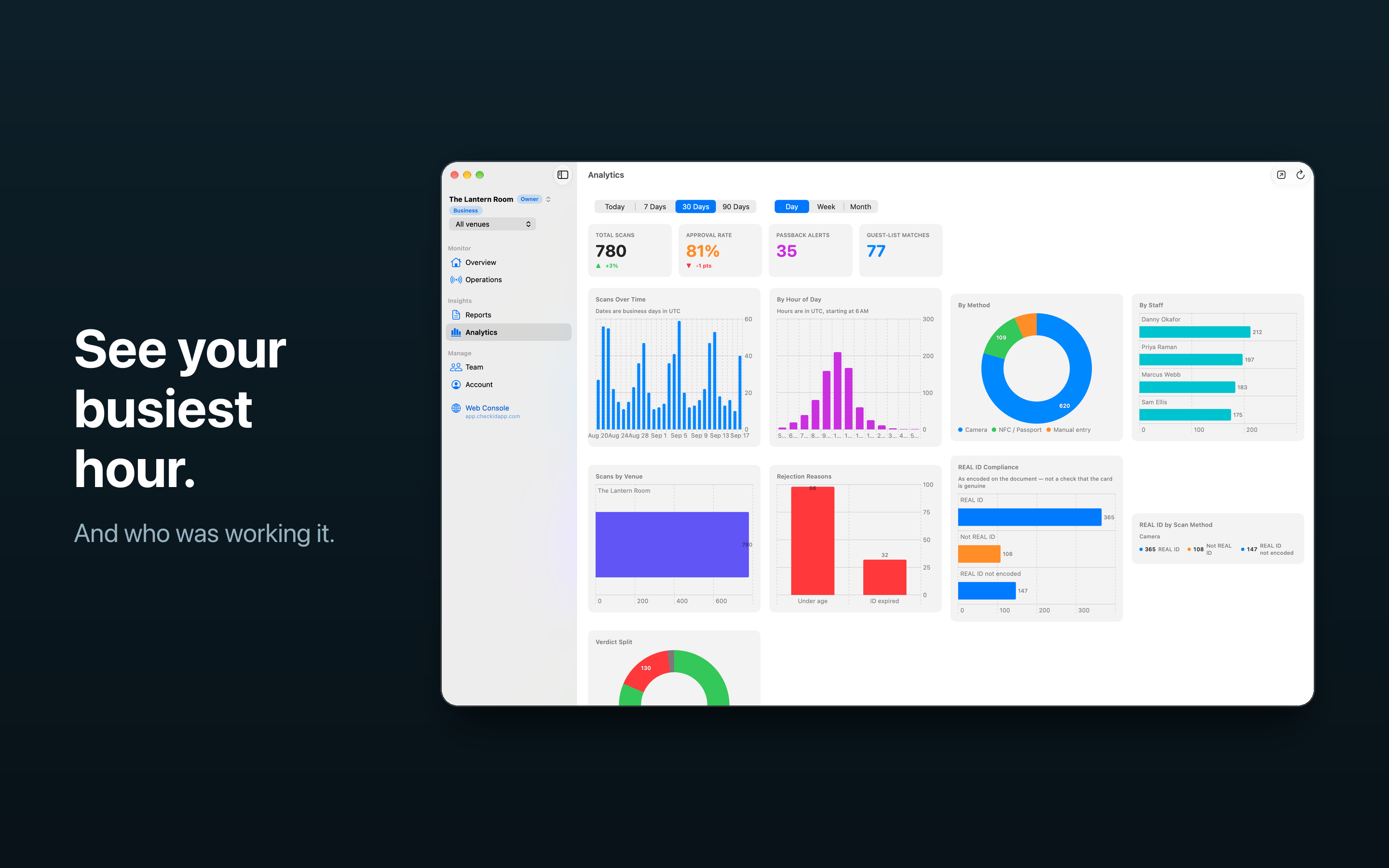
Staff scan physical card barcodes on iPhone or iPad. Passport-chip and Apple Wallet ID workflows need a compatible iPhone. Owners and managers use Check ID for Mac or the web console to manage Teams and review records.
The standard Teams plan includes one venue, up to 25 paired scanning devices and 50 team members. Ask about additional locations before planning a larger rollout.
What works when the internet drops?
Barcode reading and local age and expiry checks can continue offline. An offline door cannot see another door’s unsynced scans. Cached staff and guest-list data may be stale, and central reports reflect records that reached the service. Reconnect and check pending uploads before relying on the manager view.
Use the multiple-door and staff-shift walkthrough to test shared devices, staff handoffs and an offline/reconnect drill at your venue.
What data does a scan leave behind?
A scan record does not keep the ID holder’s name, birth date, address, document number or ID image. Teams keeps operational scan records on our servers: when and how a scan happened, its outcome, the staff decision, and venue, device and operator attribution when available. Repeat-entry codes and guest lists have separate handling; guest lists can hold names your team deliberately adds.
Read Security & data for retention and data handling, and see an illustrative Teams report before deciding what you need to export.
Try your actual workflow before using it at the door
Try a supported ID with the holder’s permission. Confirm your age and expiry settings, compare the document and its holder, and test each scanning method you intend to use. For Teams, include staff check-in, a device handoff, a repeat barcode scan at another connected door and a reconnect check.